Choosing voice assistant smart glasses is less about chasing the newest feature and more about finding a pair that fits your everyday routines. Think about where you will use them: on a noisy commute, during a hands-free call, or while following a recipe at home. Those settings place different demands on microphones, speakers, controls, and battery life.
Start with compatibility. Check which phone operating systems and voice services the glasses support, and whether key features require a companion app or subscription. Then consider comfort: frame weight, nose-pad fit, lens options, and how the glasses feel after an hour—not just a quick try-on. Small details matter. A button that is hard to reach can become annoying fast.
Audio deserves a practical check. Open-ear speakers may help you hear nearby sounds, but they can be difficult to use in a busy street. Microphone performance also varies, so look for independent testing and clear product specifications rather than relying on broad marketing claims. Review how voice activation works, what settings control it, and whether the manufacturer explains its data practices. These details differ by model and may change with software updates.
No pair is perfect. A stylish frame may have limited battery life, while a feature-rich option may feel bulky. I would treat hands-free convenience as a useful extra, not a replacement for checking important information yourself. Before buying, compare return terms, warranty coverage, prescription availability, and verified user feedback. A short in-store trial—or a careful test at home—can reveal problems a spec sheet cannot. The right choice is the one you can wear comfortably, control confidently, and trust for the tasks you actually need.
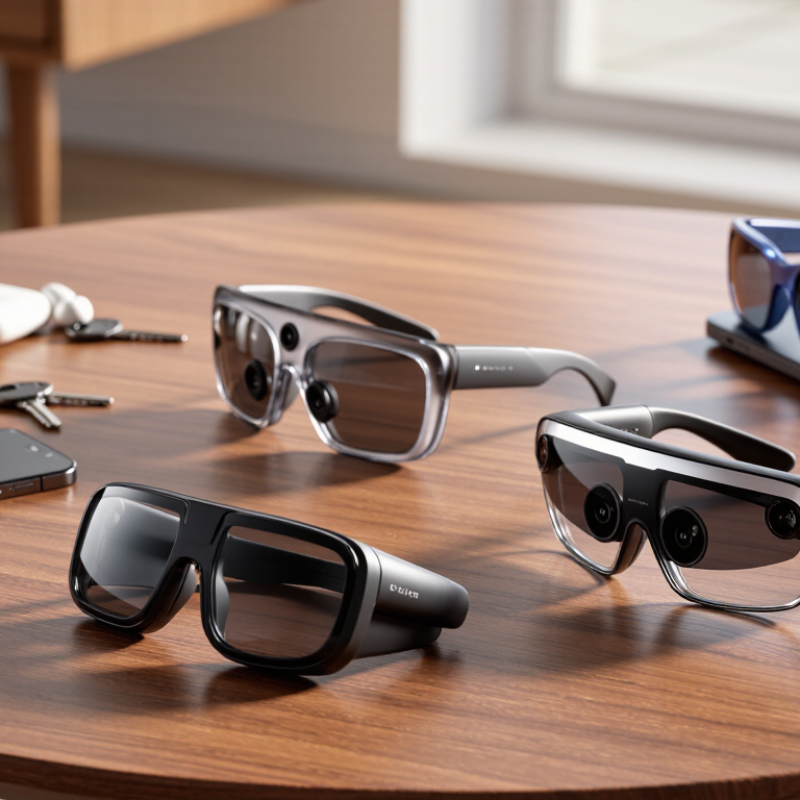
Start by naming the moments when you would actually use smart glasses. Do you want spoken directions while walking, quick reminders during errands, or hands-free calls while cooking? Picture the setting: traffic nearby, a fan humming, or gloves making phone controls awkward. These details affect whether voice control feels useful or merely convenient on paper.
Then check what the assistant can do with your phone and everyday apps. If you mainly need calls, confirm that contacts and microphone controls work smoothly. For navigation, look for clear spoken prompts and simple ways to repeat or dismiss them. If you plan to dictate notes, test punctuation, names, and your preferred language. Small errors can become annoying. Test it outdoors.
Consider how you prefer to speak to a device. A wake phrase may be handy when your hands are full, while a physical button can feel more deliberate in a quiet room. Check whether the glasses show when the microphone is active, and review what voice data is stored or shared. Try a short real-world test before buying: ask a question near a busy street, then make a call indoors. One imperfect test is not definitive, but it may reveal a need you had overlooked.
Check whether the glasses support your phone’s operating system and its current version. Then review the companion app’s requirements, available languages, and permissions. A device may pair successfully but still fail to launch your preferred assistant or read notifications aloud. Check the exact features, not just the word “compatible.”
The Bluetooth SIG’s 2024 Market Update reports 5.4 billion Bluetooth device shipments in 2023 and forecasts 7.5 billion annual shipments by 2028. That growth reflects a broad connection ecosystem, but Bluetooth alone does not guarantee voice-assistant access. Confirm whether calls, music, messaging, and voice commands work with your specific phone. Small details matter.
Try the glasses with your phone before committing, if possible. Say a short command in a noisy room, then repeat it outdoors. Check whether the assistant responds through the glasses or switches to the phone speaker. Also test what happens when the app is closed or the phone screen is locked. These small tests reveal frustrating limits. Compatibility pages can lag behind software updates, so I would treat them as a starting point, not a promise.
Bluetooth power classes have nominal maximum ranges of 100 m (Class 1), 10 m (Class 2), and 1 m (Class 3). These are specification reference values, not guaranteed ranges for smart glasses; walls, interference, and device design can reduce the actual range. Before choosing glasses, confirm that their companion app supports your phone’s operating system and that the assistant features you need—such as voice activation, calls, and message handling—are available on your device and in your region.
Lens options affect comfort and daily usefulness. Clear lenses suit indoor use and low-light commutes, while tinted lenses reduce glare outdoors. Photochromic lenses adjust to changing light, but transitions may feel slow inside a car. If you need prescription lenses, confirm compatibility with an optician before buying. Small details matter.
Fit can make smart glasses feel ordinary or distracting. Check that the bridge rests securely without pinching, and that the arms do not press behind your ears. Wear them for at least ten minutes; pressure often appears after the first few minutes. Fit is personal. A frame that feels light in a shop may shift when you walk or look down.
Compare speaker clarity in a quiet room and near normal background noise. Open-ear audio keeps your ears uncovered, though nearby people may hear sound at higher volumes. Test the microphone with a short voice note, then check whether buttons are easy to find by touch. Voice controls can be convenient, but they may mishear you in wind or busy spaces. I would not choose a pair based on a polished demonstration alone; real-world sound is less predictable.
Battery life is more than a number on a product page. Check whether the stated runtime includes frequent voice queries, music, or calls. Those features can drain a small frame-mounted battery faster than standby use. Small details matter. Look for charging time, battery replacement options, and a low-power mode. If possible, test the glasses through a typical day, including a commute and several voice requests. A charging case helps, but it adds weight to a pocket or bag.
Privacy deserves equal scrutiny. Check which features record audio, when microphones are active, and how to mute them quickly. A clear recording indicator is useful, but it should be easy to see in daylight. Review the settings for voice history, data deletion, and optional cloud processing. Do not assume that a wake phrase means nothing is stored. Policies can be hard to interpret, and that is a real drawback.
Durability depends on more than a sturdy-looking frame. Check the hinge, nose pads, lens coating, and the stated resistance to sweat or water. An IP rating, when provided, describes tested conditions; it does not promise protection from every spill or drop. Try the fit for several minutes, because pressure behind the ears can become uncomfortable. I would not trade repairability for a slimmer design without thinking twice. Small scratches happen. Replacement parts may not be easy to find.
Comfort is not a specification you can trust on its own. Wear the glasses for at least twenty minutes, not just a quick try-on. Notice pressure above your ears, nose-pad marks, and whether the frames slide when you look down. Say a few voice commands in a quiet room, then beside steady street noise. Check whether the assistant hears you without making you repeat yourself. Small annoyances grow. Weight balance matters as much as total weight; a light front can still pull at your nose. Prescription lenses, if needed, can change both fit and cost, so test the actual setup. A quick try-on is imperfect evidence.
Compare the full cost, not only the listed price. Include lens options, charging accessories, repairs, and any recurring service fees. Then judge what the assistant reliably does: reminders, message readouts, directions, or quick hands-free notes. Try each task in your normal routine. A feature that works only in a quiet demo may matter less than clear audio during a walk. Battery life deserves a real test; frequent charging can erase the convenience. Estimate how many days you would use the glasses each week, then compare that with the total cost. It is easy to overvalue extra features and undercount fit. I would not treat one afternoon as proof.
They help during hands-free moments, such as walking, cooking, or shopping. Spoken directions and quick reminders can reduce phone handling. Sometimes, a simple phone is easier.
Try short commands near traffic, a humming fan, and steady street noise. Make a call indoors afterward. One test is not enough evidence, but it can reveal weak microphone performance.
Confirm calls, contacts, navigation, reminders, and note dictation work properly. Test punctuation, names, and your preferred language. Small mistakes become tiring quickly.
Check runtime during calls, music, and repeated voice requests. Ask about charging time, low-power mode, and battery replacement. A charging case helps, but it adds pocket weight.
Check when microphones activate and how quickly you can mute them. Look for a visible recording indicator in daylight. Review voice history, deletion controls, and cloud processing settings.
Inspect the hinges, nose pads, lens coating, and water-resistance rating. An IP rating covers tested conditions, not every spill. Replacement parts may be difficult to find.
Wear them for at least twenty minutes. Notice pressure behind your ears, nose marks, and slipping when looking down. A quick fitting can mislead you.
Include lenses, charging accessories, repairs, and recurring fees. Compare those costs with tasks you actually use each week. Extra features can look valuable, but frequent charging may erase the convenience.
Choosing voice assistant smart glasses starts with identifying how you plan to use them, whether for hands-free calls, navigation, reminders, or everyday audio. Consider which voice commands and assistant features matter most, then check that the glasses work smoothly with your devices and preferred services. Compare lens choices, frame fit, sound quality, and control options to find a setup that feels natural and practical.
Before deciding, review battery life, privacy settings, and durability for your daily routine. If possible, try the glasses on and test how comfortably they sit, how clearly you can hear, and how easy the controls are to use. Finally, weigh the full cost against the features you will actually use. A good choice balances comfort, reliable assistance, useful functions, and lasting value rather than focusing on any single specification.