0%

Hands-free video recording glasses are moving from niche gadgets toward practical wearable tools. They place a small camera at eye level, helping users document repairs, inspections, travel moments, and training tasks without holding a phone. The market is growing quickly. Grand View Research valued the global smart glasses market at approximately USD 1.6 billion in 2023 and projects a strong compound annual growth rate through 2030. Fortune Business Insights also identifies enterprise use, remote assistance, and wearable computing as major growth drivers.

The appeal is easy to picture. A technician keeps both hands on a valve while recording each step. A cyclist captures a road view without reaching into a pocket. Still, convenience does not equal permission. Recording should respect consent, workplace policies, private spaces, and applicable data-protection rules. That distinction matters.

Meta CTO Andrew Bosworth has described the direction clearly: “The next computing platform is going to be glasses.” His view supports the broader industry shift, but the product experience remains imperfect. Battery life can feel short. Audio may be unclear in traffic. Camera indicators can be missed. These limitations deserve honest attention.

This guide examines why people choose hands-free video recording glasses, how their cameras and controls work, and where they provide real value. It also considers comfort, storage, security, accessibility, and responsible use. The best model is not necessarily the one with the sharpest specifications. It is the one that records reliably, communicates clearly, and fits the user’s daily environment.
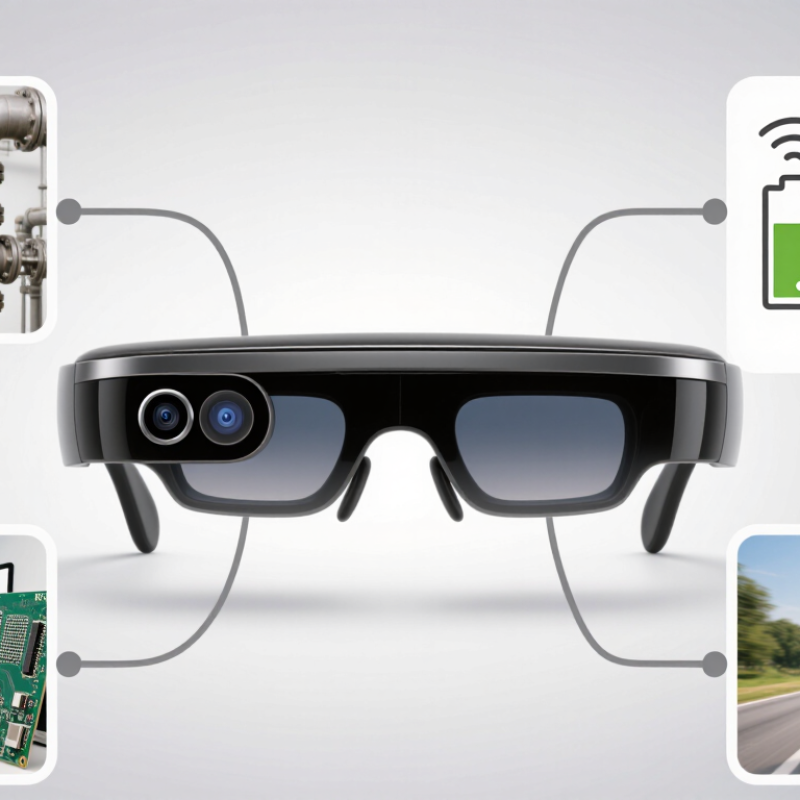
Why Choose Hands Free Video Recording Glasses?

What Are Hands-Free Video Recording Glasses?

Hands-free video recording glasses are wearable cameras built into ordinary-looking eyewear. A small lens captures video from the wearer’s viewpoint, while onboard storage, wireless connectivity, and microphones handle recording and transfer. Most models use a physical button or voice command. Some include indicator lights, but these signals may be easy to miss.

Their value is practical. A technician can record a repair while keeping both hands on a machine. A traveler can capture a street view without holding a phone. Wyzowl’s 2024 State of Video Marketing report found that 91% of businesses use video marketing, showing how central visual documentation has become. Grand View Research also projects strong double-digit growth for the smart-glasses market through 2030, reflecting wider interest in wearable computing.

The experience is not perfect. Battery life, heat, storage limits, and unstable connections can interrupt a useful recording. Audio may weaken in crowded rooms. Perspective can feel natural, yet framing is less predictable than with a phone. Users should clearly notify people before recording and follow local privacy rules. A visible recording light helps, but it is not enough by itself. Hands-free does not mean consequence-free.

How Do Hands-Free Video Recording Glasses Work?

Why Choose Hands-Free Video Recording Glasses?

How Do Hands-Free Video Recording Glasses Work?

Hands-free video recording glasses combine a miniature camera, battery, microphone, and storage inside a wearable frame. Pressing a discreet button usually starts or stops recording. Some models also support voice controls or wireless connection to a phone. A small status light may show when recording is active, although users should not rely on it alone. The camera captures light through a lens near the bridge or frame edge, while electronic stabilization helps reduce movement during walking.

The recorded file is saved to internal memory or transferred to a mobile device through a companion application. Video quality depends on the sensor, lens angle, lighting, and available storage. Bright outdoor scenes often look clearer than dim rooms. Audio can also weaken in strong wind. They are useful for hands-busy activities, but they are not magic. Battery life may shorten during continuous recording, and glasses can feel heavier than ordinary eyewear. That trade-off deserves honest consideration.

Tips: Charge the glasses before important use. Clean the lens gently. Check the recording indicator. Test sound in a quiet room first. Keep both hands available, but remain aware of your surroundings. Always respect consent, privacy, and local recording rules. Avoid recording in private or restricted spaces. A quick test may reveal problems that specifications cannot show.

Why Choose Hands-Free Video Recording Glasses? - How Do Hands-Free Video Recording Glasses Work?

Dimension How Hands-Free Video Recording Glasses Work Typical Data or Observation Practical Benefit
First-Person View A miniature camera is integrated into the frame and points in approximately the same direction as the wearer’s line of sight. The recorded perspective is generally close to the wearer’s natural point of view. Captures activities from the user’s perspective without requiring a handheld camera.
Recording Control Recording is usually started or stopped with a physical button, touch control, voice command, or connected mobile application. Physical controls can be used without removing the glasses or reaching for a phone. Enables faster operation during travel, demonstrations, repairs, sports, and field work.
Video Resolution The image sensor captures digital video and stores it in internal memory or on a removable storage device, depending on the design. Common consumer models support Full HD video; some models support 4K recording. Provides enough detail for everyday documentation, tutorials, and visual evidence.
Frame Rate The camera records a sequence of still images per second to create moving video. 30 frames per second is common for standard video; higher rates may be available for smoother motion. Higher frame rates can make movement appear smoother, especially during sports or demonstrations.
Audio Capture Small built-in microphones record sound from the surrounding environment while video is being captured. Audio quality depends on microphone placement, wind protection, distance, and background noise. Adds spoken explanations and environmental context without a separate audio recorder.
Stabilization Some models use electronic or optical stabilization to reduce visible camera shake during movement. Stabilization performance varies by sensor, software, lighting, and walking speed. Can produce more watchable footage while walking or using both hands.
Battery Runtime A rechargeable battery powers the camera, microphones, processor, wireless functions, and storage system. Continuous recording commonly lasts from under one hour to several hours, depending on resolution and battery capacity. Suitable for short recording sessions; extended use may require spare batteries or a charging case.
Storage Capacity Video files are saved to built-in flash storage, a memory card, or a paired mobile device. Storage requirements increase with resolution, frame rate, and recording duration. Higher capacity allows longer sessions before files must be transferred or deleted.
Wireless Connectivity Bluetooth or Wi-Fi may connect the glasses to a smartphone for file transfer, settings, live preview, or remote control. Wireless transfer is convenient but can consume additional battery power and may be slower than wired transfer for large files. Simplifies sharing, backup, and camera configuration.
Hands-Free Operation The glasses remain mounted on the wearer’s face, leaving both hands available while the camera records. No handheld grip, tripod, or chest mount is required for basic point-of-view recording. Useful for instruction, inspection, cooking, cycling, crafts, and other tasks requiring both hands.
Lighting Performance The camera sensor adjusts exposure and sensitivity according to available light. Low-light footage generally contains more image noise and less detail than footage recorded in good lighting. Bright, evenly lit environments typically produce clearer and more consistent results.
Weight and Comfort Camera modules, batteries, microphones, processors, and storage components are built into or attached to the frame. Added electronics can make recording glasses heavier than ordinary eyewear. A balanced frame and comfortable nose pads help reduce fatigue during longer sessions.
Privacy Indicator Many designs use a visible recording light or audible signal to indicate that video capture is active. Indicator behavior depends on the device design and local privacy requirements. Helps inform nearby people and supports more transparent recording practices.
Weather Resistance Some frames include seals or coatings that help protect electronics from limited moisture or dust. Water-resistance ratings, when provided, apply only within specified testing conditions and limits. Improves reliability during light outdoor use, but most devices should not be treated as fully waterproof without a stated rating.
Best Use Cases The camera records what the wearer sees while the wearer continues the activity normally. Common applications include tutorials, inspections, travel records, hands-on work, accessibility support, and personal documentation. Offers a natural point-of-view format that is difficult to reproduce with a stationary or handheld camera.

Specifications vary by model. Always review the device’s published resolution, battery capacity, storage method, connectivity, privacy features, and local recording regulations before use.

Key Benefits of Hands-Free Video Recording Glasses

Why Choose Hands Free Video Recording Glasses?

Key Benefits of Hands-Free Video Recording Glasses

Hands-free video recording glasses keep both hands available while capturing a natural first-person view. During a site visit, a repair task, or an outdoor lesson, this can make documentation easier and safer. A stable camera angle often shows details that handheld footage misses. For example, viewers can see the exact position of a tool, cable, or product label. The experience feels more direct. Small details matter.

These glasses can also support training and accessibility. Instructors may record practical demonstrations while using both hands to work. Viewers can replay each movement without standing beside the instructor. People with limited hand mobility may find voice controls especially useful. Good models should offer clear audio, reliable stabilization, and simple controls. Battery life matters too. A device that stops after thirty minutes is frustrating.

Responsible use remains essential. People should know when recording happens, especially in workplaces, classrooms, or shared spaces. Avoid filming private conversations or sensitive information without permission. Storage encryption and secure file transfers add practical protection. Hands-free devices are not automatically discreet or appropriate. They can also feel heavier than expected, and bright sunlight may affect the display or camera. I still prefer checking the framing before recording. That small habit prevents unusable footage. Technology helps, but judgment remains part of the workflow.

Important Features to Consider Before Choosing

Why Choose Hands Free Video Recording Glasses?

Hands-free video recording glasses can capture natural moments without holding a phone. They are useful for walking tours, practical demonstrations, field notes, and daily observations. Before choosing a pair, examine the camera resolution and stabilization. Clear footage matters when reading labels, showing tools, or recording movement. Image quality may drop indoors, so test it under ordinary room lighting.

Battery life is equally important. A short recording session feels frustrating when the device stops unexpectedly. Check charging time, storage capacity, file transfer options, and recording limits. Good microphones should reduce wind and background noise, although no small microphone performs perfectly in every environment. Comfort also deserves careful attention. Lightweight frames, adjustable nose pads, and balanced weight can prevent pressure after an hour. I once underestimated comfort, and the footage became less important than the headache.

Tips: Check whether a visible recording indicator is included. Use the glasses only where recording is permitted, and respect people’s privacy. Review the controls before leaving home; small buttons can be confusing while moving. Choose secure storage and update the device through trusted software. Water resistance may help during light rain, but it does not guarantee protection in heavy weather. A practical trial is valuable: wear the glasses, walk outside, transfer one clip, and inspect the audio before making a decision.

Why Choose Hands-Free Video Recording Glasses?

Hands-free video recording glasses can capture first-person footage while leaving both hands available for work, travel, demonstrations, or outdoor activities. Before choosing a pair, evaluate the features below using this practical, brand-neutral weighting model.

The percentages represent suggested evaluation priorities rather than market-share data. Video quality and battery life affect recording usability directly, while comfort, privacy indicators, stabilization, connectivity, and weather resistance support safe and reliable everyday use.

Common Uses and Practical Limitations

Why Choose Hands Free Video Recording Glasses?

Hands free video recording glasses can document activities from the wearer’s natural viewpoint. They are useful for practical training, equipment demonstrations, travel journals, and accessibility support. A technician can show a repair while keeping both hands on the device. A cooking instructor can capture each movement without stopping to adjust a camera. The perspective feels immediate. However, it is not always accurate. Head movement may produce shaky footage or miss important details outside the viewing angle.

Battery life remains a serious limitation during long sessions. Many users may need charging after several hours, especially with continuous recording. Small storage capacity can also become inconvenient. A full memory card may interrupt an important task. Bright sunlight, dim rooms, and reflective surfaces can reduce image quality. Built-in microphones may capture wind, nearby conversations, or clothing noise. The footage can look useful on the glasses but disappoint on a larger screen. That happened to me once.

Comfort also deserves careful attention. Frames can feel heavy after extended wear, and heat may build near the temples. Some designs fit poorly over prescription lenses. Recording indicators may be difficult to notice in bright conditions, so users should check them before starting. Consent matters. People nearby may not realize they are being recorded, and expectations vary between workplaces and public spaces. These glasses work best when users explain the recording clearly, respect privacy, and review footage promptly for missing audio, blurred details, or accidental filming.

FAQS

How do hands-free video recording glasses work?

They combine a small camera, battery, microphone, and storage inside the frame. A button usually starts or stops recording.

How is recorded video stored?

Video stays in internal memory or transfers to a phone through a companion application. Storage can fill during long sessions.

Can these glasses record clear video indoors?

Results depend on lighting, lens angle, and sensor quality. Bright scenes usually look clearer than dim rooms.

How long can the glasses record continuously?

Battery life may last several hours, depending on settings and use. Continuous recording drains power faster. Plan a recharge.

What common problems affect recording quality?

Walking can create shaky footage. Wind may weaken audio, while clothing can brush against the microphone.

What are useful everyday applications?

They can document training, repairs, cooking steps, travel journals, and accessibility tasks. Both hands remain available.

Are hands-free recording glasses always comfortable?

Not always. Frames may feel heavy, heat may build near the temples, and prescription lenses may fit poorly.

How can users record responsibly?

Check the recording indicator, explain the recording clearly, and respect privacy expectations. Avoid private or restricted spaces.

What should users test before important recording?

Charge the glasses, gently clean the lens, and test sound in a quiet room. Review a short sample first.

What should users remember about the viewpoint?

The camera follows head movement, not every important detail. Footage can miss events outside the viewing angle. I learned this once.

Conclusion

Hands-free video recording glasses are wearable devices that combine the familiar shape of eyewear with a small camera and recording system, allowing users to capture video from a natural, first-person viewpoint. They typically work through an integrated camera, battery, storage, and simple controls such as a button or voice command. Depending on the design, recordings may be transferred to another device for viewing, editing, or backup.

The main appeal of hands-free video recording glasses is convenience: they keep both hands available while documenting activities, creating tutorials, recording personal experiences, or supporting work and learning tasks. When choosing a pair, users should consider video quality, battery life, storage capacity, comfort, durability, control options, and privacy indicators. These glasses can be useful in many practical situations, but they also have limitations, including restricted recording time, changing lighting conditions, limited storage, and the need to respect personal privacy and local recording rules.

Eleanor

Eleanor

Eleanor is a professional marketing specialist with in-depth knowledge of the company’s products and a strong understanding of how they can support customers’ needs. She regularly contributes expert articles to the company website, sharing clear, practical insights that help readers understand......